When sharing a Deal Board with an enterprise customer, you are inviting multiple stakeholders across technical, legal, procurement, and executive functions.
Different committee members need different levels of interaction. Your champion needs to tick off completed action items and download architecture specs, while an executive sponsor may only want to view high-level timeline progress.
Dealwize provides granular, role-based access management built specifically for external buyer stakeholders (stakeholderAccess.ts).
1. Two External Access Tiers#
Dealwize simplifies client permissions into two clear operational tiers:
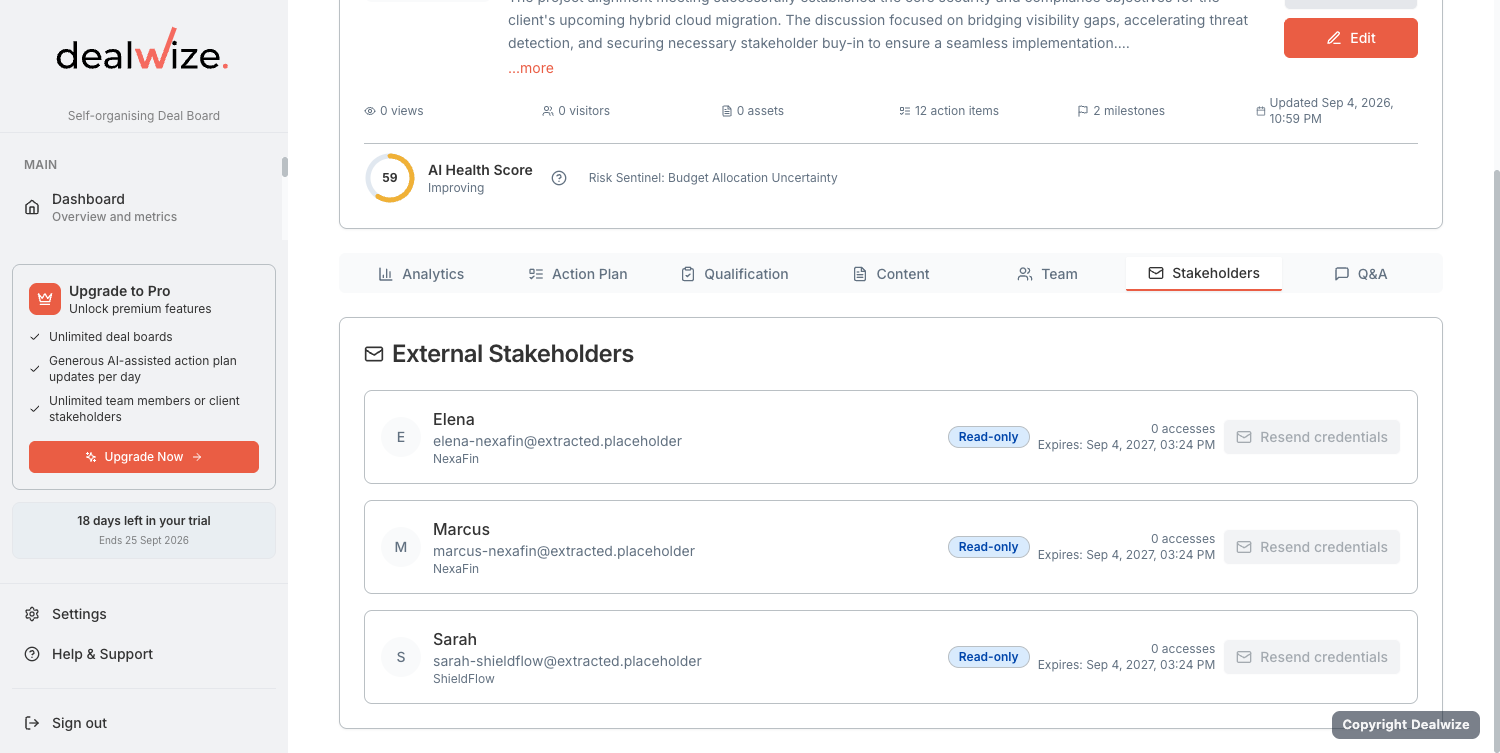
| Access Tier | UI Label | Allowed Capabilities | Restricted Capabilities | Ideal Stakeholders |
|---|---|---|---|---|
view | Read-only | • View the living Mutual Action Plan<br>• Preview shared documents in-browser<br>• View answered Q&A items | ❌ Cannot download raw files<br>❌ Cannot check off action items<br>❌ Cannot post comments or questions | Executive Sponsors, secondary observers, budget approvers who need passive visibility. |
contribute | Collaborate | • View & download all shared documents<br>• Check off assigned action items<br>• Complete subtask checklists<br>• Ask and reply in the Q&A module | ❌ Cannot delete phases<br>❌ Cannot view internal sales notes or health scores | Sales Champions, Technical Evaluators, InfoSec leads, Procurement managers. |
2. Zero-Friction Passwordless Access#
Enterprise buyers should never be forced to create an account, remember a password, or download software just to review your sales proposal or project roadmap:
- Personalized Magic Links: Stakeholders access their shared Deal Board through secure, tokenized URLs.
- Instant Session Authentication: When a stakeholder clicks their invitation link, a secure session (
stakeholderAuth.ts) is established automatically in their browser. - Device Independence: Evaluators can review the board on desktop, tablet, or mobile with zero friction.
3. Resolving AI-Extracted Placeholder Emails#
When Dealwize's Milestone Miner extracts stakeholder commitments from discovery call transcripts (e.g. "David Chen agreed to review the REST API specs"), the system automatically creates a stakeholder record with an @extracted.placeholder address.
This allows the AI to immediately attribute tasks to David Chen on your internal roadmap even before you have his real corporate email.
Converting Placeholders to Verified Invites:#
- Open the Stakeholders panel in the Deal Board editor.
- Any auto-extracted contact without a confirmed email is flagged with a warning: Email Required.
- Click the stakeholder row and enter David's real corporate email (e.g.
david.chen@acme.corp). - Choose the appropriate access tier (Read-only or Collaborate).
- Click Send Invitation. The placeholder is updated, and an invite email with David's personalized magic link is delivered.
4. Strict Security & Data Isolation#
Client-facing Deal Boards are completely isolated from internal sales intelligence:
- Strictly Excluded: Deal Health score (0–100), The Brutal Truth, risk radar, internal rep next steps, AE forecast percentages, and private coaching notes are completely stripped out before rendering the board.
- Visible: Only mutual objectives, customer executive summaries (
client_executive_summary), agreed milestones, and published collateral are rendered.